
Keg Returns Now Available Through Snappy Shopper
Great news for all retailers offering PerfectDraft or beer kegs 🎉
You can now manage keg returns directly through Snappy Shopper, making the process simple and seamless for both you and your customers. 🙌
To get set up, please follow the steps below:
🛠️ Step 1 – Create a Keg Return Item
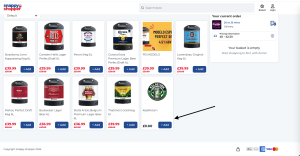
Create a £0.00 product called "Keg Return" in your store menu (download product image).
📝 Step 2 – Add the Description
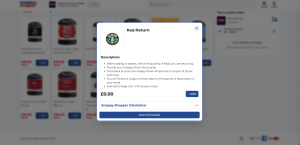
Include instructions explaining how the return process works for customers,
for example:
Select the number of kegs you are returning.
Hand the kegs to your Snappy Shopper driver when they arrive.
Once the return has been verified, you'll receive a Snappy Shopper coupon
for each keg returned.
🚚 Step 3 – Verify the Return
When the driver brings the returned kegs back to your store:
Check the number of kegs returned against the quantity requested on the
customer's order.Confirm the quantities match before issuing the refund coupon.
🎟️ Step 4 – Issue the Coupon
From the customer order screen:
Select Create Coupon
Choose Keg Return as the reason (see attached example)
Enter the value you refund per keg
(e.g. £5 per keg, or your chosen return value)
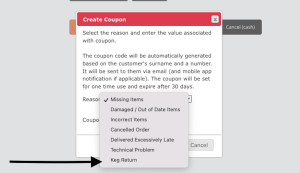

Once processed, the system will automatically generate and send a Snappy Shopper coupon directly to the customer via email (and app notification where applicable). The customer can then redeem this coupon on a future Snappy Shopper order at your store.
If you have any questions or would like to help set this up, please raise a ticket here👇